Common challenges
- Assignments disappear into chat threads without a clear owner.
- Due dates and priorities live in separate spreadsheets.
- A blocked task is hard to follow up when its team context is missing.
When work is scattered across messages and spreadsheets, ownership gets lost. Give each task named assignees, a due date and a visible status, with the employee and team context close at hand.
For team leads, department managers and operations teams who need to know who owns the work, what is due and what needs a follow-up.
From assignment to follow-up
Create a task, describe the expected result, select assignees, and set its priority and due date.
Use task status and comments to see what is moving, blocked or ready for review.
Review the relevant department and employee in Dwamiey One, then open the work that needs a decision.
Dwamiey One
Dwamiey One connects the company view to departments, employees and relevant tasks. The existing product preview below shows the company view; it is not a claim about a separate task-planning product.
See the connected company view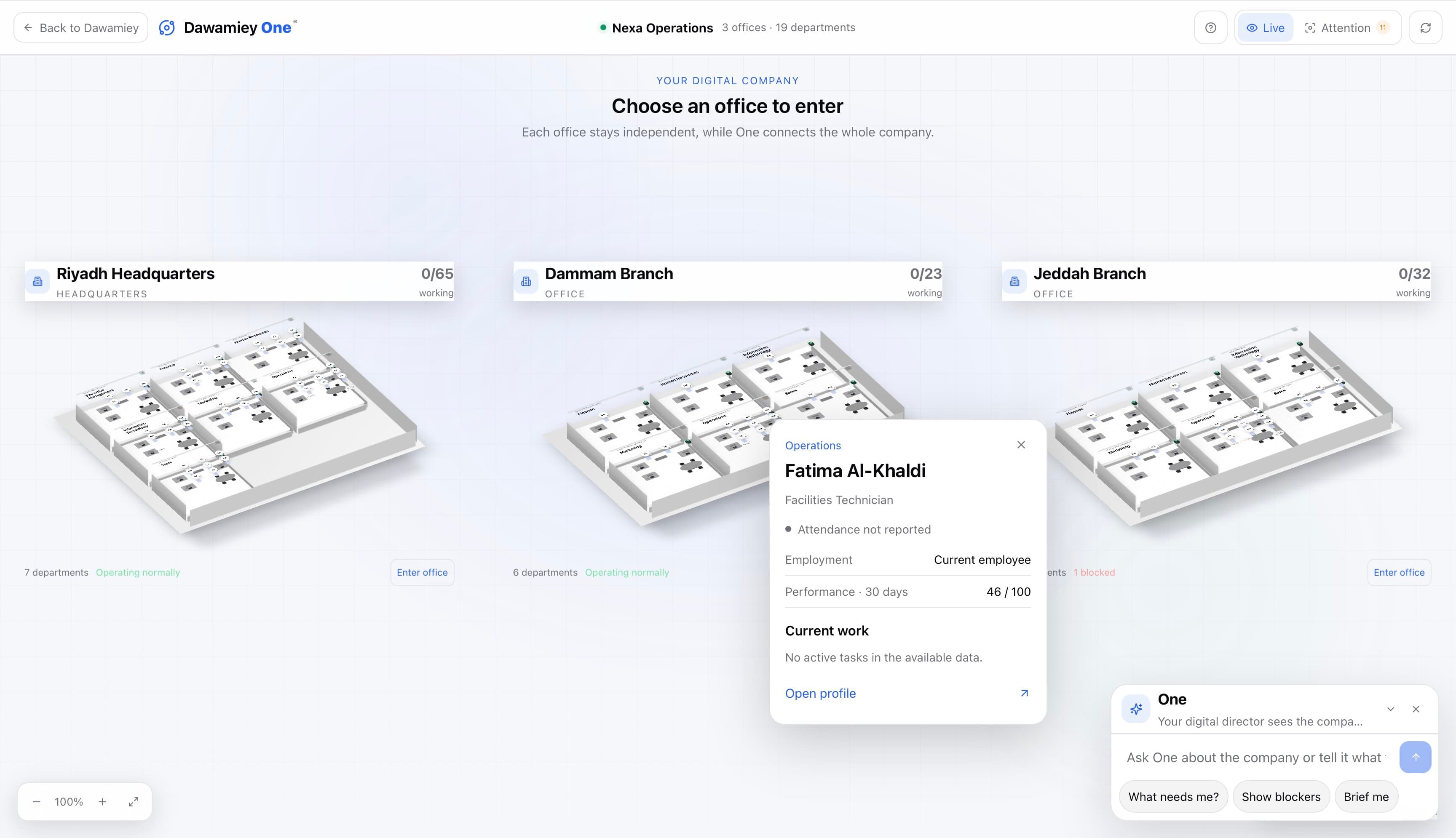
Evaluate Dwamiey for task ownership and daily work execution. This page does not promise advanced portfolio planning, resource optimization or project profitability.
Yes. Tasks support named assignees, priorities, due dates and statuses such as in progress, blocked, review and done. Managers can review the work they are permitted to access.
Dwamiey One groups people and relevant tasks within the company structure. A manager can start with a department, inspect its work and open the task details rather than reconstructing the team context from messages.
This page focuses on assigning and following up team work. Advanced portfolio planning, resource optimization, project profitability and external integrations are not part of the promise described here.
After you choose an available edition and submit company details, Dwamiey creates an active company workspace with seven days of free trial access and sends an owner invitation by email. Accept the invitation to use the workspace; this is not a booked product demonstration.
Connect this workflow to the rest of your team’s work.
Contact us to discuss your company’s needs.